
TNOU TEE Aug 2026: Psychology Practical Hall Ticket Out, Project Deadline Set for Oct 23
Quick reference
| University | Tamil Nadu Open University (TNOU) |
|---|---|
| Examination Session | Term End Examination (TEE) August 2026 |
| Hall Ticket Status | Published for Psychology Practical Exam |
| Project Submission Deadline | 23 October 2026 |
| Major Announcement | 16th Convocation Ceremony announced |
| Portals | tnou.ac.in and tnouportal.in |
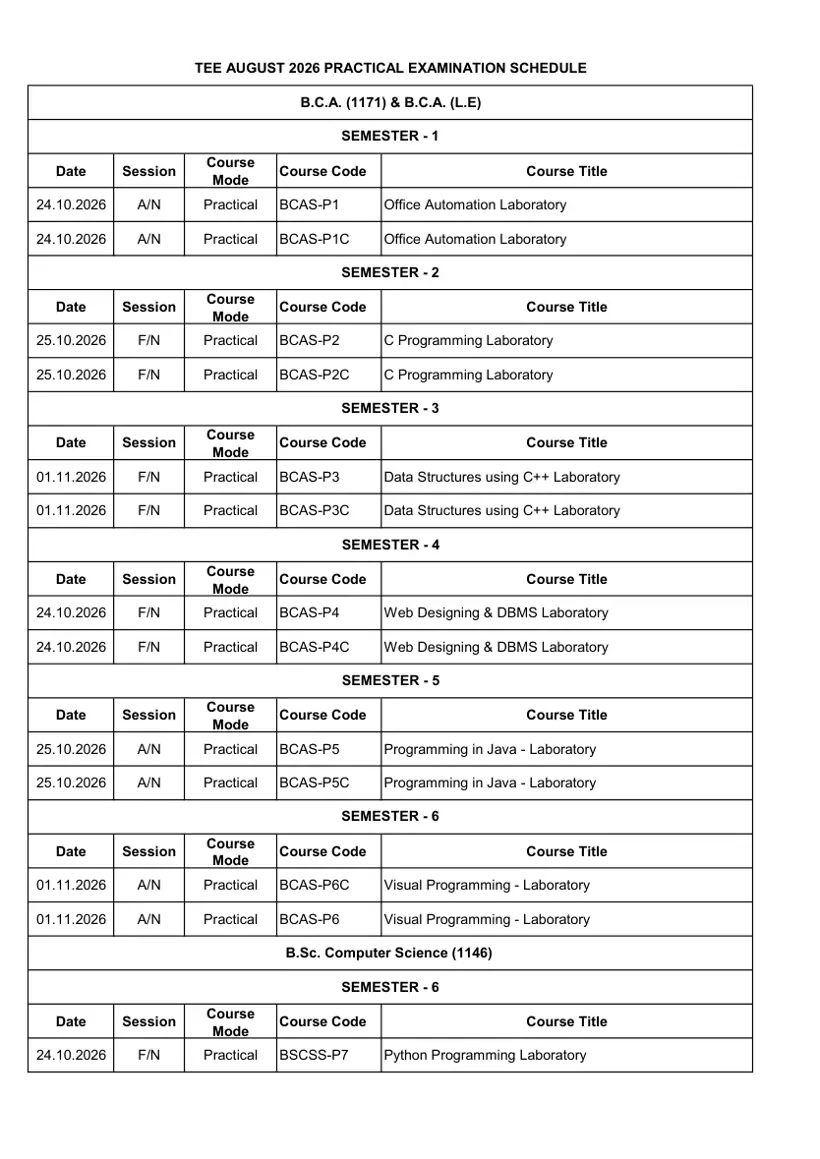
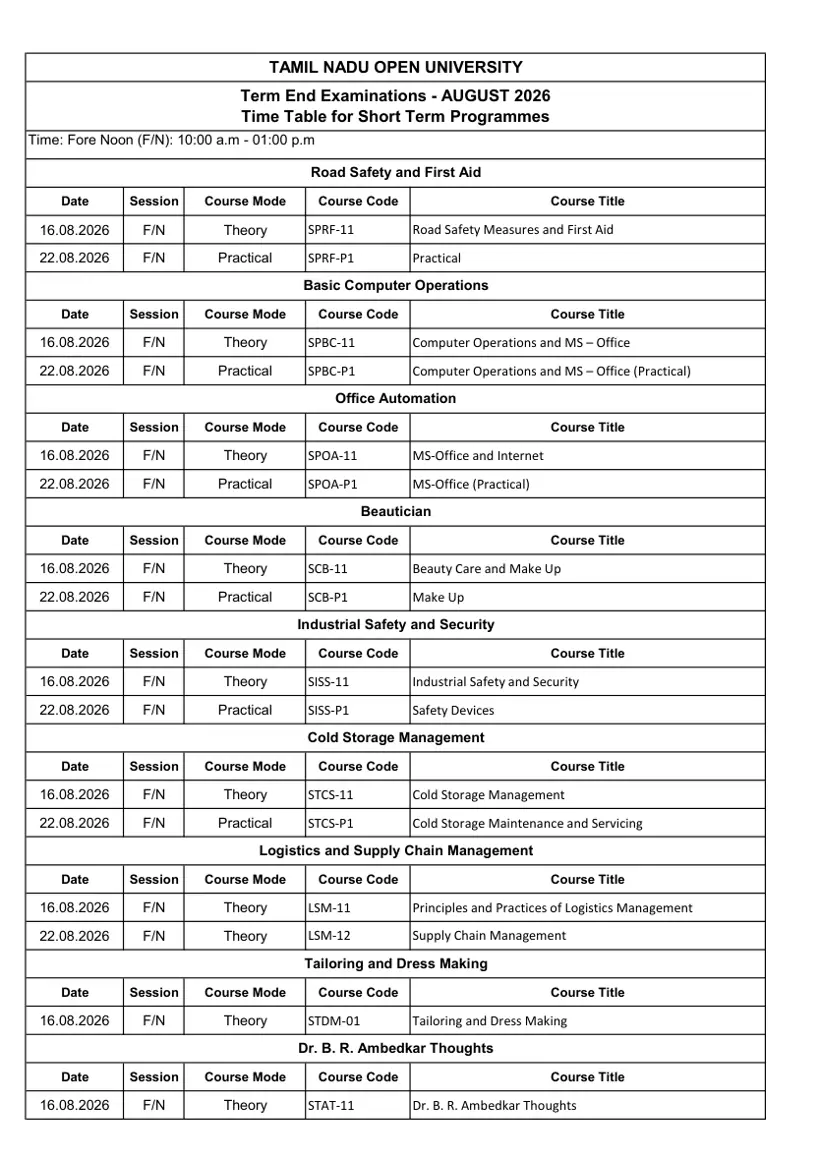
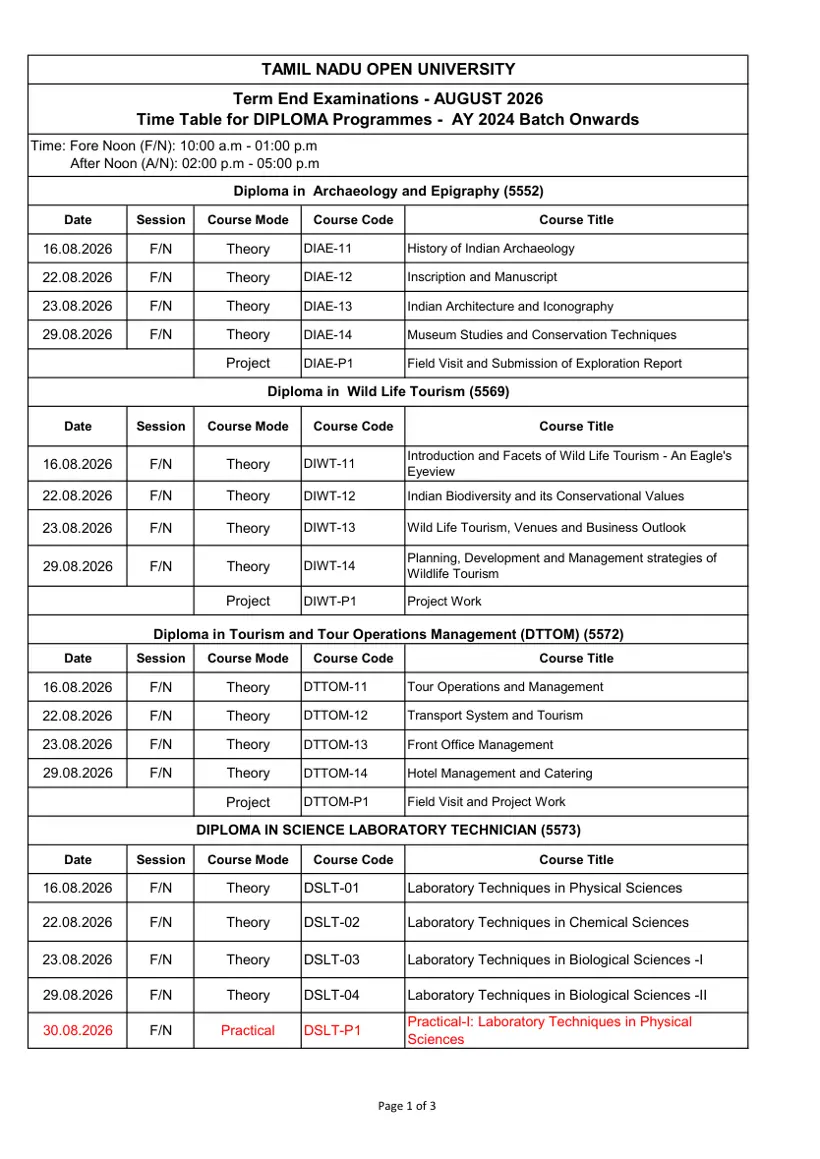
Tamil Nadu Open University has released the hall tickets for the Term End Examination August 2026 Psychology practical exams on its official portal. The university has also mandated that all students appearing for the TEE August 2026 session submit their projects on or before October 23, 2026.
TNOU TEE August 2026 Psychology Practical Hall Tickets Released
Tamil Nadu Open University has officially published the hall tickets for the Psychology practical examination under the Term End Examination (TEE) August 2026 session. Eligible candidates can now download their hall tickets directly through the official e-portal.
Along with the hall ticket issuance, the university has issued the complete schedule for the Psychology counselling classes and practical examinations. Students are required to access their portal dashboard using their login credentials to obtain their examination hall tickets prior to attending the practical sessions.
To ensure proper authorization, students must log in via the e-portal login page using their user ID and password. University authorities have instructed students to strictly use the official web portals for all academic activities and examination updates.
- Psychology Practical Examination hall tickets are live on the e-portal.
- Schedule covers practical counselling classes and practical examinations for TEE August 2026.
- Students must check the portal regularly for timetable details.
TNOU Sets October 23 Deadline for TEE August 2026 Project Submissions
Candidates appearing for the TNOU Term End Examination August 2026 session must submit their academic projects on or before October 23, 2026. The university has clarified that this deadline is strict and non-negotiable.
Projects received after October 23, 2026, will not be evaluated or considered for the August 2026 examination cycle. Students are advised to submit their completed works well before the final date to prevent disqualification from the assessment process.
- Last date for project submission: October 23, 2026.
- Applies to all candidates registered for TEE August 2026.
- Late submissions received after October 23 will be rejected automatically.
TNOU 16th Convocation and Re-Registration Updates
Tamil Nadu Open University has officially announced the upcoming 16th Convocation ceremony. Details regarding degree conferment and ceremonial schedules are being processed through the university administration.
In addition, TNOU has enabled the online re-registration portal for continuous learners. Students eligible for 2nd year and 3rd year fee payments must complete their online fee submission through the official re-registration portal.

More from TNOU
TNOU Student Help Desk and Grievance Support Facilities
To assist learners with grievances and queries, the TNOU Information Centre operates on the first floor of the Administrative Block at the Headquarters in Saidapet, Chennai. The Help Desk functions from 8.00 a.m. to 8.00 p.m. on all working days.
Learners visiting the headquarters in person can submit physical grievance forms, which are forwarded to respective schools and divisions for immediate resolution within a day. Online support and interface systems are also active to troubleshoot examination and admission issues.
Students requiring further assistance regarding hall tickets, assignments, material dispatch, or general academic inquiries can refer to the official contact channels on the Help Desk page or reach out to division heads listed on the Whom to Contact directory.
- Help Desk Location: First floor, Administrative Block, No 577, Anna Salai, Saidapet, Chennai – 600015.
- Working Hours: 8:00 AM to 8:00 PM on working days.
- Technical Support: WhatsApp assistance available at 9345913378 or email admission@tnou.ac.in.
Important TNOU links
| What you can do | Official page |
|---|---|
| login to student portal for hall tickets | tnouportal.in ↗ |
| view help desk services and contact details | tnou.ac.in ↗ |
| contact university officials for specific queries | tnou.ac.in ↗ |
What students ask about TNOU TEE Aug 2026
When is the project submission deadline for TNOU TEE August 2026?
Students appearing for the TNOU Term End Examination August 2026 must submit their projects on or before October 23, 2026. This mandatory submission rule applies to all candidates registered for the TEE August 2026 examination cycle. Candidates must access the e-portal at tnouportal.in to upload or complete their submission requirements as instructed. Any project received after October 23, 2026, will be automatically rejected and will not be evaluated for this session.
How can I download the TNOU Psychology Practical Exam hall ticket?
Learners can download their Psychology Practical Exam hall ticket directly by visiting the e-portal at tnouportal.in. This download facility is active for all eligible candidates appearing in the TEE August 2026 practical sessions. Log in by selecting the Student role, entering your enrolment number as User ID, and using your date of birth in DDMMYYYY format as the default password. If hall ticket generation fails, contact the Examination Section at 044-24306662 or exam@tnou.ac.in.
What are the operating hours of the TNOU Headquarters Help Desk?
The TNOU Headquarters Help Desk operates from 8:00 a.m. to 8:00 p.m. on all working days. Located on the first floor of the Administrative Building in Saidapet, Chennai, it provides physical grievance forms to visiting learners. Staff process submitted forms to resolve academic issues within a single day with interface support. If visiting in person is not possible, learners can contact the Student Grievance Redressal Cell at 9345913384 or email grievancecell@tnou.ac.in.
How do 2nd and 3rd year students complete re-registration fee payments?
Continuing students can complete 2nd and 3rd year re-registration fee payments online through the e-portal at tnouportal.in. This process applies to eligible continuous learners enrolling for their subsequent academic years. To complete payment, navigate to the re-registration portal link on tnouportal.in, log in with your enrolment credentials, and pay online. If the transaction fails or fees are not credited, contact the Admission Section at 044-24306663 or email admission@tnou.ac.in.
What should I do if I am unable to log in to the TNOU e-portal?
You must click the ‘Forgot Password’ link on tnouportal.in to generate a new password if login fails. Initial portal login requires your enrolment number as User ID and date of birth formatted as DDMMYYYY for default password access. After logging in successfully, update your password using the change password menu option. If technical login errors persist, contact TNOU support via WhatsApp at 9345913378 or send your academic details to admission@tnou.ac.in.
How do students upload online assignments on the TNOU student portal?
Students upload online assignments by logging into the student portal at tnouportal.in/studentportal.aspx with their valid enrolment number. After logging in, navigate to the Online Assignments section and click Search to locate required course assignments. Upload prepared assignments in PDF format with file sizes strictly under 5 MB. If an incorrect document is uploaded, click the Reupload button to submit the correct file before the closing deadline.
What is the default password format for first-time login on the TNOU e-portal?
The default password for first-time student login on tnouportal.in is your date of birth formatted as DDMMYYYY. For example, a student born on 28 August 1992 must enter 28081992 as their password along with their enrolment number as User ID. Upon successful login, students are advised to change their default password immediately using the left menu bar option. If authentication fails, use the ‘Forgot Password’ link.
What should students do if the TNOU mobile app shows a ‘No user found’ error?
Students who encounter the ‘No user found’ error on the TNOU mobile app must verify their registered mobile number. This error occurs when an unregistered or incorrect mobile number is entered during the OTP verification step. To resolve this, send your academic details to admission@tnou.ac.in or log into tnouportal.in to submit a service request for a mobile number change. Once updated, re-enter your mobile number to receive OTP.
Which student batches are eligible to use the TNOU Mobile App?
The TNOU mobile app is available for Undergraduate students from the 2020 batch onwards, Postgraduate students from 2021 onwards, and Diploma candidates from 2022 onwards. Eligible students download the app from Google Play Store or Apple App Store and register using OTP verification. Students belonging to earlier batches must continue using the e-portal at tnouportal.in for exam registration and payments. For app login support, email admission@tnou.ac.in.
Who should TNOU students contact regarding study material dispatch queries?
Students facing delays or queries regarding study material dispatch must contact the Material Production and Distribution Division (MPDD). This service applies to all enrolled TNOU learners awaiting their printed academic course materials. Learners can reach the MPDD section by calling 044-24350844 or 9345913377, or by emailing mpdd@tnou.ac.in with their enrolment details. Staff at the Saidapet campus in Chennai handle study material inquiries and dispatch status updates.
Who should students contact for degree certificates and mark statement queries at TNOU?
Students requiring provisional certificates, degree certificates, statement of marks, or transcript verifications must contact the TNOU Certificate Section. This facility is available for all eligible graduates, including those awaiting conferment during the 16th Convocation ceremony. Learners can reach the division by calling 044-24306665 or sending an email with their enrolment number to certificate@tnou.ac.in. If issues persist, candidates may visit the Help Desk located on the first floor of the Saidapet campus in Chennai.
More on News & Updates